CopilotKit は、エージェントに直接接続できる 3 つの事前構築済みチャット・コンポーネントを公開しています。
各々は異なるレイアウトを備えた CopilotChat のラッパーで、アプリケーションに最適なものを選ぶだけで完了です。
CopilotKit : 基本 – 事前構築済みコンポーネント
作成 : Masashi Okumura (@classcat.com)
作成日時 : 04/20/2026
バージョン : v1.56.2
* 本記事は docs.copilotkit.ai の以下のページ等を参考にしています :
* サンプルコードの動作確認はしておりますが、必要な場合には適宜、追加改変しています。

◆ お問合せ : 下記までお願いします。
- クラスキャット セールス・インフォメーション
- sales-info@classcat.com
- ClassCatJP
CopilotKit : 基本 – 事前構築済みコンポーネント
Agno エージェントに簡単に組み込めるチャットコンポーネント。
CopilotKit は、エージェントに直接接続できる 3 つの事前構築済みチャット・コンポーネントを公開しています。各々は異なるレイアウトを備えた CopilotChat のラッパーです – アプリケーションに最適なものを選ぶだけで完了です。
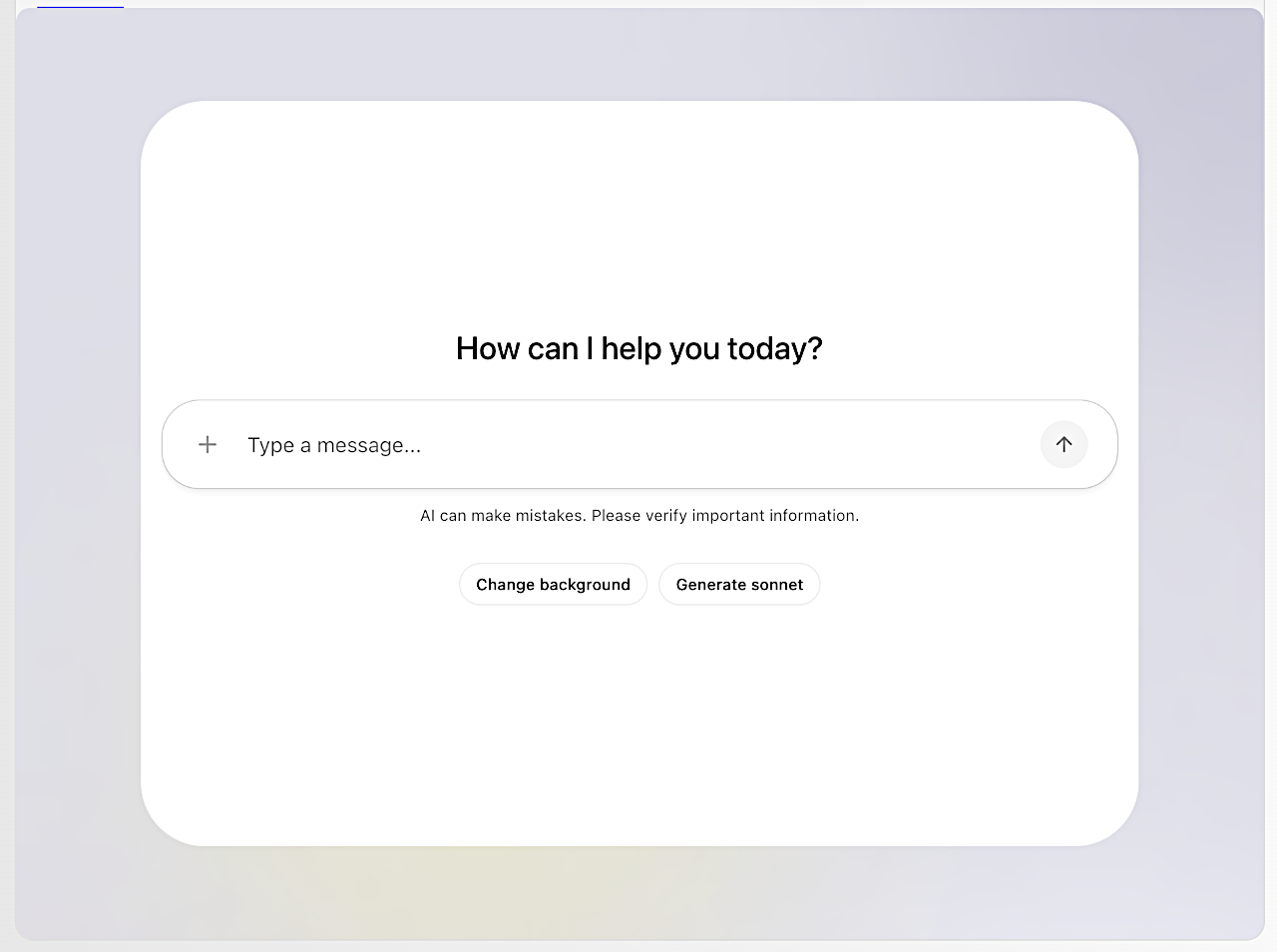
Code page.tsx
"use client";
import React, { useState } from "react";
import "@copilotkit/react-core/v2/styles.css";
import {
  useFrontendTool,
  useRenderTool,
  useAgentContext,
  useConfigureSuggestions,
  CopilotChat,
} from "@copilotkit/react-core/v2";
import { z } from "zod";
import { CopilotKit } from "@copilotkit/react-core";

interface AgenticChatProps {
  params: Promise<{
    integrationId: string;
  }>;
}

const AgenticChat: React.FC<AgenticChatProps> = ({ params }) => {
  const { integrationId } = React.use(params);

  return (
    <CopilotKit
      runtimeUrl={`/api/copilotkit/${integrationId}`}
      showDevConsole={false}
      agent="agentic_chat"
    >
      <Chat />
    </CopilotKit>
  );
};

const Chat = () => {
  const [background, setBackground] = useState("--copilot-kit-background-color");

  useAgentContext({
    description: 'Name of the user',
    value: 'Bob'
  });

  useFrontendTool({
    name: "change_background",
    description:
      "Change the background color of the chat. Can be anything that the CSS background attribute accepts. Regular colors, linear of radial gradients etc.",
    parameters: z.object({
      background: z.string().describe("The background. Prefer gradients. Only use when asked."),
    }) ,
    handler: async ({ background }: { background: string }) => {
      setBackground(background);
      return {
        status: "success",
        message: `Background changed to ${background}`,
      };
    },
  });

  useRenderTool({
    name: "get_weather",
    parameters: z.object({
      location: z.string(),
    })  ,
    render: ({ args, result, status }: any) => {
      if (status !== "complete") {
        return <div data-testid="weather-info-loading">Loading weather...</div>;
      }
      return (
        <div data-testid="weather-info">
          <strong>Weather in {result?.city || args.location}</strong>
          <div>Temperature: {result?.temperature}°C</div>
          <div>Humidity: {result?.humidity}%</div>
          <div>Wind Speed: {result?.windSpeed ?? result?.wind_speed} mph</div>
          <div>Conditions: {result?.conditions}</div>
        </div>
      );
    },
  });

  useConfigureSuggestions({
    suggestions: [
      {
        title: "Change background",
        message: "Change the background to something new.",
      },
      {
        title: "Generate sonnet",
        message: "Write a short sonnet about AI.",
      },
    ],
    available: "always",
  });

  return (
    <div
      className="flex justify-center items-center h-full w-full"
      data-testid="background-container"
      style={{ background }}
    >
      <div className="h-full w-full md:w-8/10 md:h-8/10 rounded-lg">
        <CopilotChat
          agentId="agentic_chat"
          className="h-full rounded-2xl max-w-6xl mx-auto"
        />
      </div>
    </div>
  );
};

export default AgenticChat;
Code agentic_chat.py
"""Example: Agno Agent with Finance tools

This example shows how to create an Agno Agent with tools (YFinanceTools) and expose it in an AG-UI compatible way.
"""

from agno.agent.agent import Agent
from agno.models.openai import OpenAIChat
from agno.os import AgentOS
from agno.os.interfaces.agui import AGUI
from agno.tools import tool
from agno.tools.yfinance import YFinanceTools


@tool(external_execution=True)
def change_background(background: str) -> str:  # pylint: disable=unused-argument
    """
    Change the background color of the chat. Can be anything that the CSS background attribute accepts. Regular colors, linear of radial gradients etc.

    Args:
        background: str: The background color to change to. Can be anything that the CSS background attribute accepts. Regular colors, linear of radial gradients etc.
    """  # pylint: disable=line-too-long


agent = Agent(
    model=OpenAIChat(id="gpt-4o"),
    tools=[
        YFinanceTools(),
        change_background,
    ],
    description="You are an investment analyst that researches stock prices, analyst recommendations, and stock fundamentals.",
    instructions="Format your response using markdown and use tables to display data where possible.",
)

agent_os = AgentOS(agents=[agent], interfaces=[AGUI(agent=agent)])

app = agent_os.get_app()
セットアップ
ルートレイアウトでデフォルトのスタイルをインポートします :
layout.tsx
import "@copilotkit/react-ui/v2/styles.css";
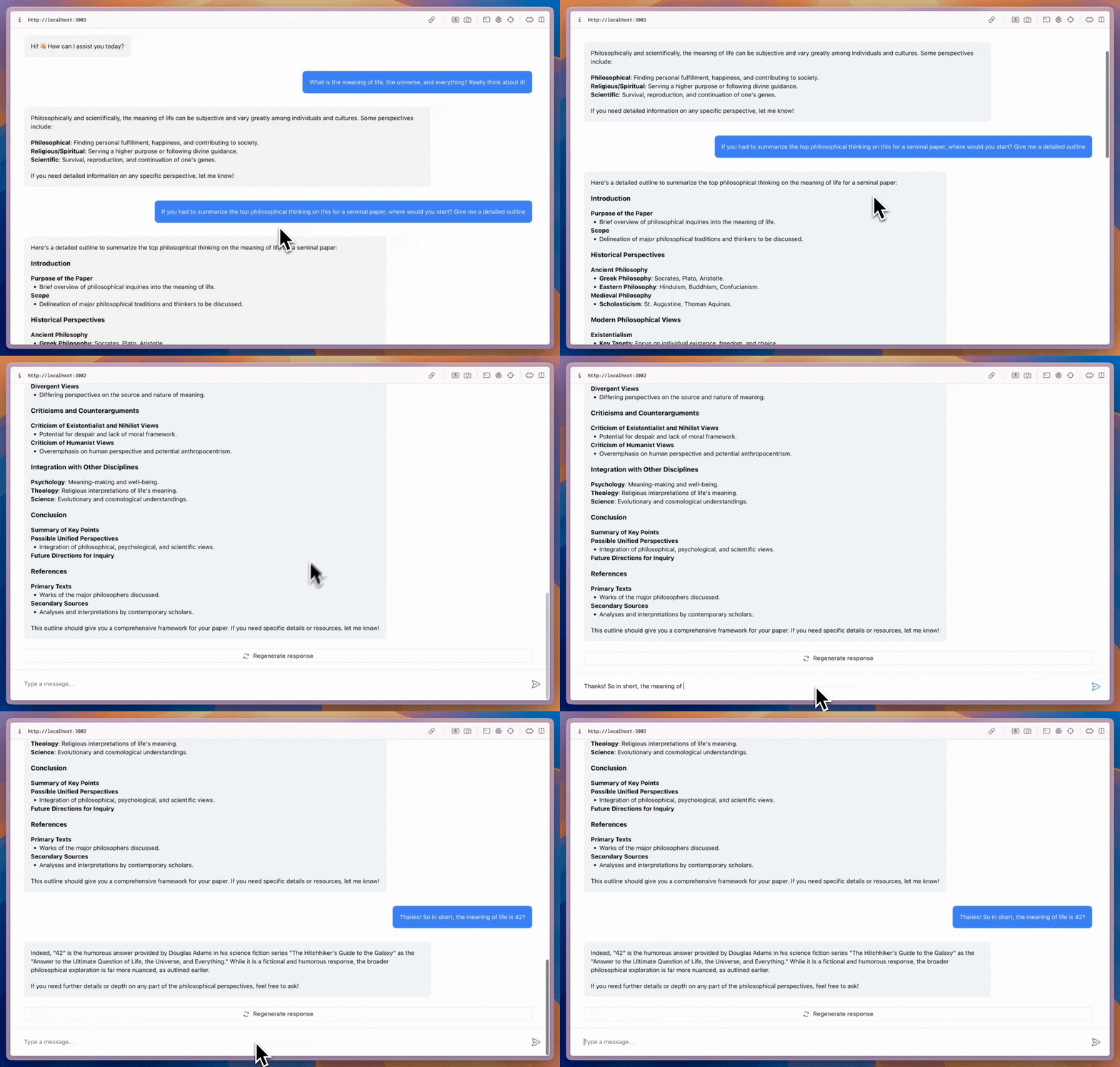
CopilotChat
アプリケーション内のどこにでも配置できて、必要に応じてサイズ変更も可能な、柔軟性の高いチャットコンポーネントです。
page.tsx
import { CopilotChat } from "@copilotkit/react-core/v2";

export default function YourComponent() {
  return (
    <CopilotChat
      labels={{
        welcomeMessageText: "Hi! How can I assist you today?",
      }}
    />
  );
}
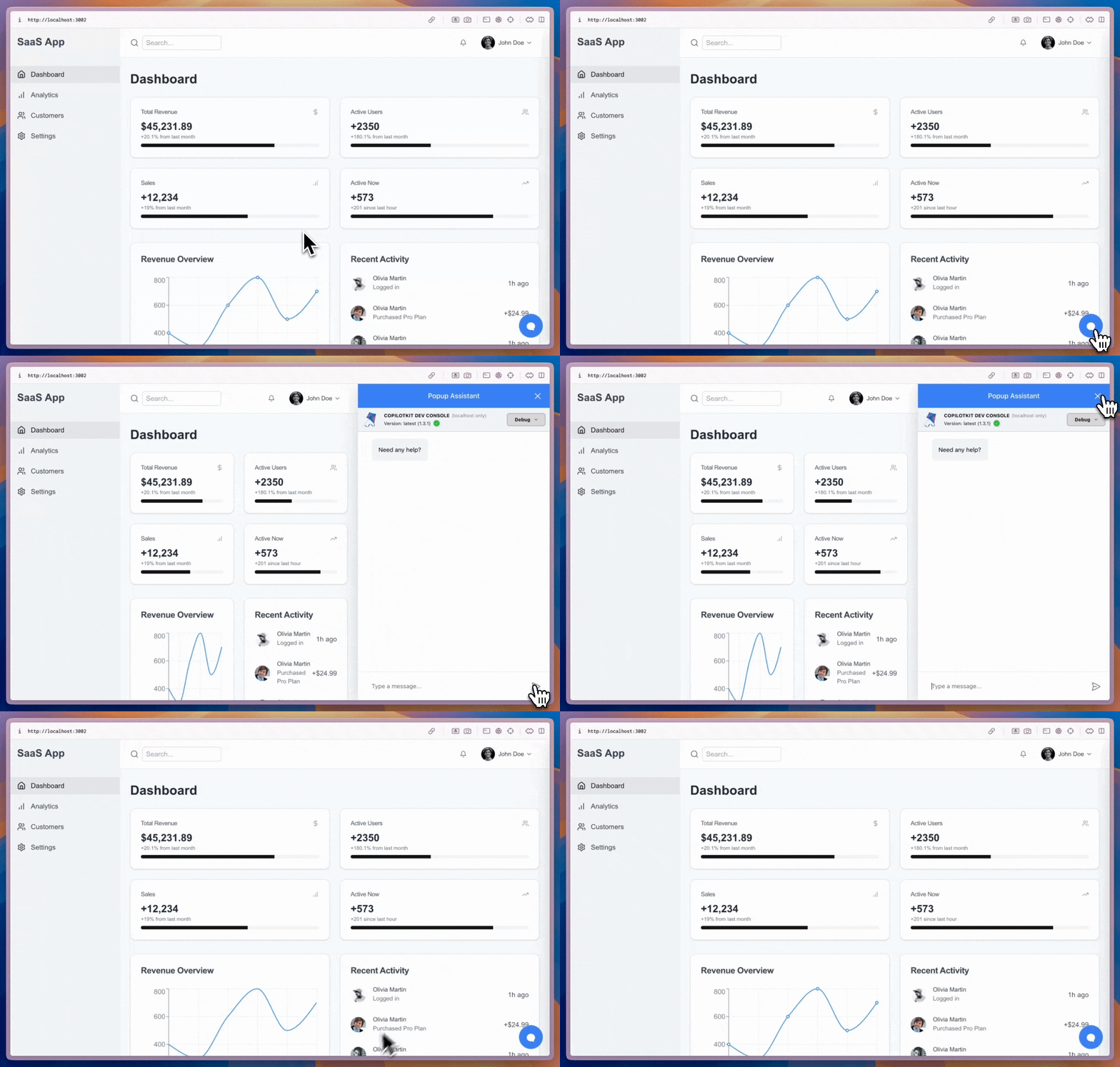
CopilotSidebar
メインコンテンツをラップし、折りたたみ可能なサイドバーチャットを提供します。
page.tsx
import { CopilotSidebar } from "@copilotkit/react-core/v2";

export default function YourApp() {
  return (
    <main>
      <CopilotSidebar
        defaultOpen={true}
        labels={{
          modalHeaderTitle: "Sidebar Assistant",
          welcomeMessageText: "How can I help you today?",
        }}
      />
      <h1>Your App</h1>
    </main>
  );
}
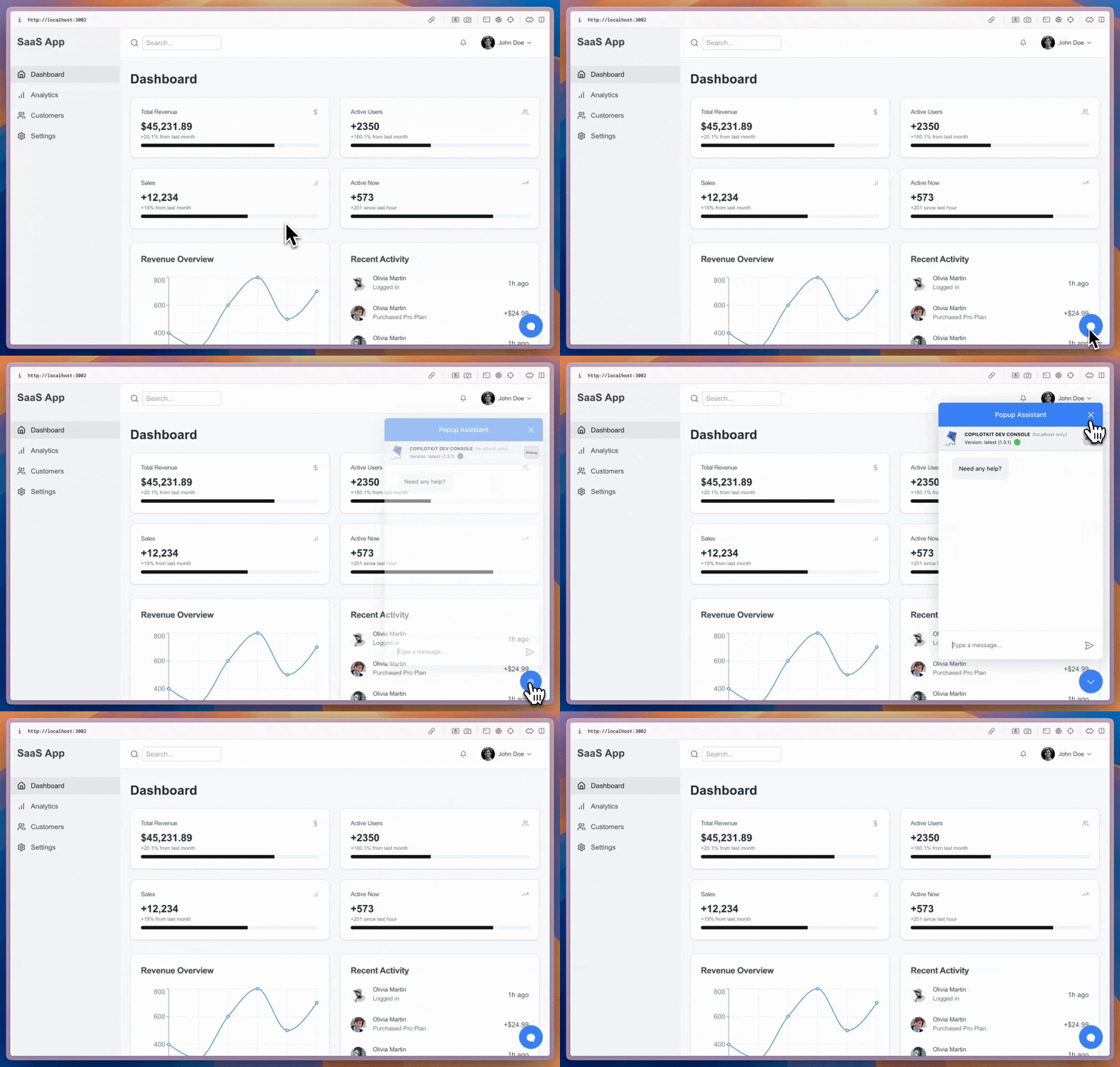
CopilotPopup
コンテンツの横に表示され、開閉を切り替えられるフローティング・チャットバブル。
page.tsx
import { CopilotPopup } from "@copilotkit/react-core/v2";

export default function YourApp() {
  return (
    <main>
      <h1>Your App</h1>
      <CopilotPopup
        labels={{
          modalHeaderTitle: "Popup Assistant",
          welcomeMessageText: "Need any help?",
        }}
      />
    </main>
  );
}
カスタマイズ
3つのコンポーネントすべてがスロットシステムをサポートしており、Tailwind クラスから完全なコンポーネントの置き換えまで、高度なカスタマイズが可能です :
page.tsx
<CopilotChat
  // Style slots with Tailwind classes
  input={{
    textArea: "text-blue-500",
    sendButton: "bg-blue-600 hover:bg-blue-700",
  }}
  // Customize nested message slots
  messageView={{
    assistantMessage: "bg-blue-50 rounded-xl p-2",
    userMessage: "bg-blue-100 rounded-xl",
  }}
/>
以上